The Best Walking Pad for Remote Work, Tested by Our WFH Staff
 Sparkup Media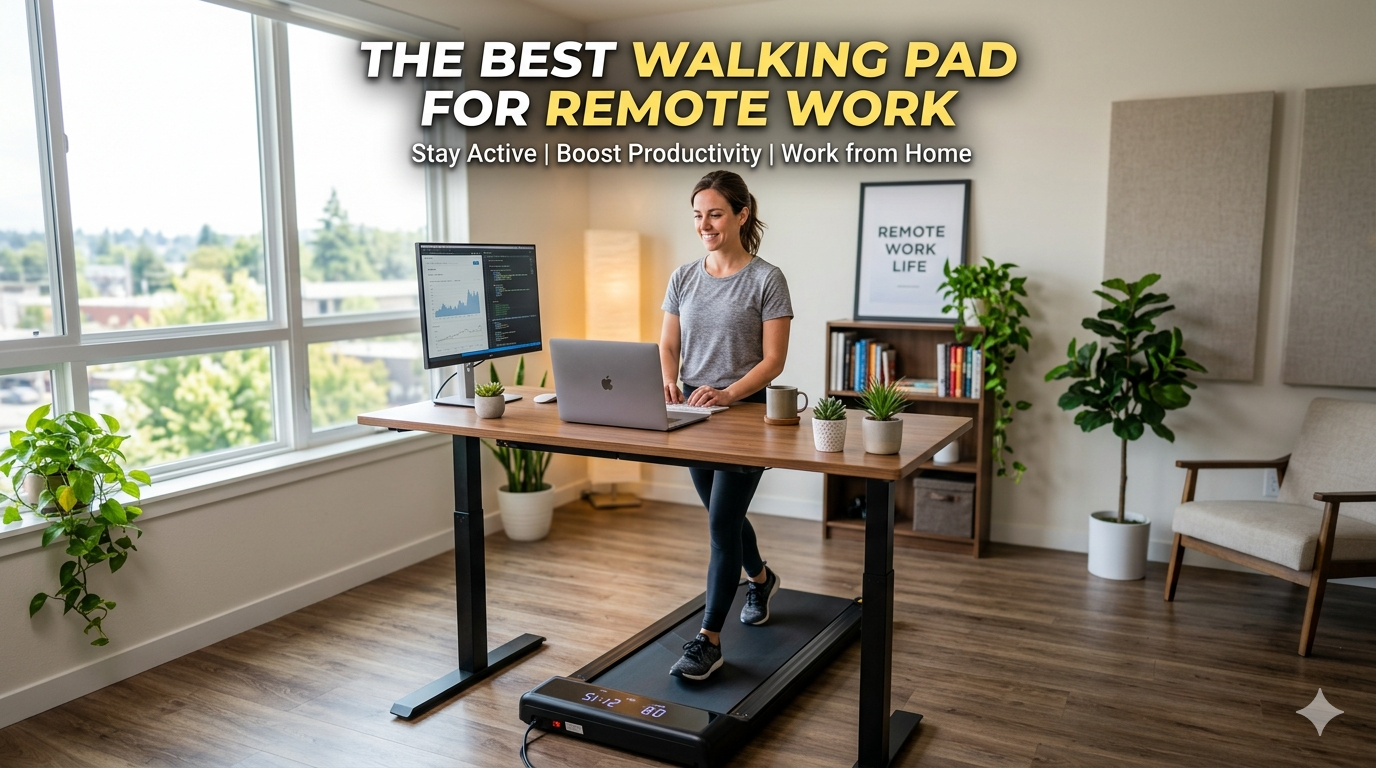
We spent weeks walking, typing, and taking Zoom calls on the most popular under-desk treadmills so you don’t have to.
There’s a moment every remote worker knows well: it’s 3 p.m., your back aches, your legs have gone numb from sitting, and your step count reads a deeply embarrassing 847. You’ve been in back-to-back calls since 8 a.m. and haven’t moved more than five feet from your desk.
That’s exactly where a walking pad comes in.
Also called under-desk treadmills, walking pads are compact, flat, belt-driven machines designed to sit beneath a standing desk and let you walk slowly — usually between 1.5 and 3.5 mph — while you work. They won’t give you a cardio session. But they will transform an eight-hour sedentary workday into one where you’re quietly logging four, five, or even eight thousand steps without leaving your office.
Our work-from-home staff put eight of the most popular models through their paces over several weeks — testing them during real work sessions, Zoom calls, typing-heavy tasks, and the unglamorous parts too, like setup, storage, and cleaning. Here’s everything we found.
What We Tested For
Before getting into our picks, here’s what our staff actually evaluated:
Noise level: The single biggest factor for WFH use. If your walking pad hums loudly during a client call, it’s a problem — no matter how good the specs look. We paid attention to dB ratings but also to the character of the noise (a low hum vs. a high-pitched whir vs. noticeable belt slap).
Desk compatibility and ergonomics: A walking pad raises your standing position by 4–6 inches. If your standing desk can’t compensate, your shoulders and wrists pay the price. We tested each pad with a standard adjustable standing desk at proper ergonomic height.
Belt size: The minimum comfortable belt for most adults is 16 inches wide × 40 inches long. We checked whether shorter or narrower belts forced an unnatural, single-file gait — a common issue that both increases fall risk and adds joint strain over time.
Ease of use: Can you adjust speed mid-call without fumbling? Is the app reliable? Is the remote control something you’d inevitably lose down the back of the sofa?
Storage: Not everyone has space to leave a walking pad out permanently. We measured folded dimensions and tested how easy each machine was to actually store between sessions.
Weight capacity and build quality: Walking generates 1.2–1.5× your static body weight in force with each step. Budget models that are technically rated for your weight can still feel flimsy underfoot. We noted any wobble, flex, or creaking.
Price vs. longevity: Good walking pads range from roughly $250 to over $1,000. We assessed whether the premium models justify the jump.
Our Top Picks
1. LifeSpan TR1200 Pro (Glow-Up) — Best Overall for Serious WFH Use
Price: ~$999–$1,199 | Belt: 20″ × 50″ | Weight Capacity: 330 lbs | Max Speed: 4 mph | Motor: 3.5 HP brushless
If you work from home full-time and want something that will last for years of daily use, the LifeSpan TR1200 Pro is the one to buy.
The belt is notably wider and longer than almost every competitor — 20 inches wide and 50 inches long — giving you a natural, comfortable gait even if you have a wide stride or wear office shoes rather than athletic sneakers. The 3.5 HP brushless motor runs cooler, lasts longer, and produces less noise than the brushed motors found in most budget alternatives. Six shock absorbers under the deck add real cushioning, which matters when you’re standing on it for multiple hours a day in leather-soled shoes.
The desk-mounted Omni-Hub console is a standout feature for office use. Unlike most walking pads that come with a small handheld remote you will eventually lose, the TR1200’s console mounts to your desk and sits in your line of sight. Speed, steps, distance, time, and calories are all visible at a glance without interrupting your workflow.
The LifeSpan earns top marks for construction quality and comes with one of the best warranties in the category — 10 years on the frame, 2 years on parts, 1 year on labor. It arrives fully assembled; you just plug it in.
The downsides are real: it’s heavy, relatively large, and not ideal if you need to store it under a sofa after every session. And the price is premium. But for a permanent desk setup, it’s the most durable and well-engineered option on the market.
WFH Staff Verdict: “The TR1200 feels like real office equipment, not a fitness gadget. I’ve logged over 8,000 steps a day without even noticing. The desk console means I never had to fiddle with a remote during a call.” — Marcus, Senior Editor
Best for: Full-time remote workers with a dedicated home office space, heavier users, and anyone who wants to buy once and not worry about it.
2. WalkingPad A1 Pro — Best Mid-Range Pick / Best Foldable
Price: ~$399–$499 | Belt: 16.9″ × 45.3″ | Weight Capacity: 300 lbs | Max Speed: 4 mph | Motor: 1 HP
The WalkingPad A1 Pro has become essentially synonymous with the under-desk treadmill category, and for good reason. It strikes an excellent balance between footprint, build quality, and price — and its signature fold-in-half design makes it genuinely storable in a way that the LifeSpan and other full-sized models simply are not.
The belt is comfortable and adequately wide for most users under 5’10” with a standard gait. The automatic speed mode — where the belt adjusts based on your positioning — is a clever feature: walk toward the front of the belt to speed up, drift toward the back to slow down, no button presses required. It works more consistently than you’d expect once you get used to it.
The WalkingPad app is functional and tracks session data reliably, though it can be glitchy on some Android devices. The physical remote is small and simple — speed up, speed down, stop — and gets the job done without overcomplicating things.
One honest caveat: unfolding the A1 Pro can be noisy. The belt sometimes sticks, creating a sound that one tester described as “ripping a large piece of tape off a wall.” It doesn’t affect performance, but it’s not the kind of thing you want to do during a quiet moment in a shared home. Once running, though, it’s pleasantly quiet at walking speeds.
WFH Staff Verdict: “The fold-and-store design is the reason I bought it — I live in a small apartment and can’t leave a treadmill out. Fits perfectly in my closet. I walk during morning emails and it’s become non-negotiable.” — Priya, Product Manager
Best for: Remote workers in apartments or smaller spaces, those who need to store the pad between sessions, and anyone who wants solid mid-range performance without a four-figure price tag.
3. Urevo Walking Pad (SpaceWalk / Strol Series) — Best Budget Pick / Quietest Under $300
Price: ~$200–$299 | Belt: ~16″ × 40″–43″ | Weight Capacity: ~265 lbs | Max Speed: 3.7 mph | Motor: 1 HP
Urevo has quietly earned a loyal following among remote workers who want a no-fuss, affordable walking pad — and the Strol and SpaceWalk models deliver more than their price suggests. What sets Urevo apart in our testing is something surprisingly rare in this category: it doesn’t beep constantly. Most competing walking pads emit a series of countdown beeps as the belt starts and emit a beep with every speed change. On a Zoom call, that gets old fast. The Urevo lets you mute those sounds entirely — a small detail that turns out to matter a great deal in a shared home or during work calls.
The build quality is cleaner and more polished-looking than most sub-$300 competitors. The magnetic remote control on the SpaceWalk E4W attaches directly to the treadmill frame, solving the “lost remote” problem that plagues the category. The app tracks activity and includes challenges and virtual walking routes that add a surprising bit of motivation to otherwise monotonous sessions.
The main limitations are the smaller belt and the 3.7 mph speed cap, which means it’s purely a walking machine — jogging isn’t really on the table. At under 40 lbs, it’s the easiest to move between rooms or up and down stairs. For a tester who splits time between a home office and a living room setup, it proved genuinely portable.
WFH Staff Verdict: “I bought the Urevo as a trial before committing to something expensive. Six months later, I’m still using it every day. The muted beeps were the first thing I noticed. My coworkers on calls still have no idea.” — Sam, Content Strategist
Best for: First-time walking pad buyers, budget-conscious shoppers, apartment dwellers, and anyone who wants an easy entry point without risking a major purchase.
4. WalkingPad R2 (2-in-1) — Best for Versatility / WFH + Fitness Combined
Price: ~$599–$699 | Belt: 16.5″ × 45.3″ | Weight Capacity: 265 lbs | Max Speed: 7.5 mph (run mode) / 3.7 mph (walk mode)
The WalkingPad R2 is the pick for remote workers who also want to use their treadmill for actual fitness training — not just slow-paced desk walking.
The R2 features a foldable handlebar that doubles the machine’s functionality. Fold it down for under-desk walking mode (with speed automatically capped at 3.7 mph as a safety measure). Fold it up to access a proper running mode that tops out at 7.5 mph. It’s a thoughtful safety feature: the machine won’t let you accidentally sprint while you’re leaning over a keyboard.
During our desk-use testing, the R2 behaved like a standard walking pad — quiet, stable, and easy to control via the app. For post-work or lunchtime run sessions, the handle gives meaningful stability at jogging speeds, something most walking-only pads can’t offer at all.
The R2’s dual-mode design does make it slightly bulkier than a pure walking pad, and it won’t fold as flat for storage. But for anyone who wants a single machine that covers both WFH walking and actual workout sessions, it’s the most versatile option we tested.
WFH Staff Verdict: “I do 2 mph during morning emails, 4 mph while listening to podcasts, and a 20-minute jog at lunch. I have one machine doing three jobs. The handle is the difference.” — Jordan, UX Designer
Best for: Remote workers who want a single machine for both desk walking and proper fitness training, or those who want to progress from slow walking to jogging over time.
5. DeerRun Q1 Mini — Best Ultra-Budget Pick Under $150
Price: ~$149–$179 | Belt: ~15.7″ × 39.4″ | Weight Capacity: 300 lbs | Max Speed: 3.7 mph
If price is your primary concern and you just want to try the walking-while-working concept without committing to a premium purchase, the DeerRun Q1 Mini is the honest answer. It’s genuinely affordable — often under $150 on sale — and the 300 lb weight capacity is impressive for the price point.
The belt is on the small side (under 40 inches long and 16 inches wide), which makes it workable for users under 5’8″ but potentially uncomfortable for taller walkers with a naturally long stride. One of our testers — a 5’2″ writer — called it “perfectly sized and completely unobtrusive.” A taller tester at 6’0″ found it required constant conscious attention to stay on the belt, which partially defeated the purpose of working while walking.
The DeerRun app (PitPat) is functional, though first-time users should know that the machine requires the app to unlock — without it, getting the treadmill to start involves a non-obvious button combination. Download the app first and you won’t have any issues.
For the price, the Q1 Mini is a genuinely capable starter walking pad, and it makes sense as a way to test whether you’ll actually use a walking pad before spending $400+.
WFH Staff Verdict: “The right answer for someone not ready to spend $400 on something they might abandon. Knocked out 5,000 steps on a Tuesday without thinking about it. Small, but it works.” — Erin, Staff Writer
Best for: Budget shoppers, first-time buyers testing the concept, and users under 5’8″ with a shorter natural stride.
6. DeerRun Z10 — Best Walking Pad with Incline
Price: ~$379–$449 | Belt: 16.5″ × 43.3″ | Weight Capacity: 265 lbs | Max Speed: 3.8 mph | Incline: Auto, up to 9%
Most experts — and most of our staff — agree that fixed inclines on a walking pad are a bad idea for desk use. An incline forces you to lean forward, which throws off your posture, strains your lower back, and makes typing harder. That said, the DeerRun Z10’s adjustable automatic incline changes the calculus.
Because the incline adjusts from flat to ~9% grade, you can use it flat during focused work and crank it up for a more challenging post-meeting walk or dedicated fitness session. The remote controls both speed (0.6–3.8 mph) and incline independently, and the transition between grades is smooth and stable — not the wobbly experience we expected.
The Z10’s main limitation is that the incline adds height, which may conflict with ergonomic desk positioning unless your standing desk has significant range. Check your desk’s maximum height before buying.
WFH Staff Verdict: “I use it flat for 90% of work sessions, then bump the incline to 6% for 20 minutes after lunch. It’s the difference between a walking pad and an actual calorie burn.” — Alex, Marketing Lead
Best for: Remote workers who want a dual-purpose machine for desk walking and incline fitness walks, and those with an adjustable desk with sufficient height range.
What Our Staff Learned After Weeks of Testing
Start slower than you think. Nearly every person on our team overestimated their starting speed. Typing while walking at 2.5 mph is much harder than it sounds — especially during anything that requires precision or creative thinking. The sweet spot for most desk tasks is 1.5–2.0 mph. After a few weeks, 2.5 mph starts to feel normal.
Calls are better than typing sessions. Walking during a meeting where you’re mostly listening? Effortless. Walking during a deep-focus writing session or a spreadsheet task that requires mouse precision? Noticeably harder. Most of our staff developed a rhythm: walking pad on for calls and email, off for concentrated heads-down work.
Your standing desk height matters more than you think. Walking pads raise your standing position by 4–6 inches. If your desk can’t rise high enough to compensate, you’ll be hunching — and you’ll undo any benefit from moving by destroying your posture. Check your desk’s maximum height before purchasing any walking pad.
The remote control problem is real. Multiple testers across multiple models reported losing (or almost losing) the handheld remote. If a model’s only speed control is a tiny remote, factor that in. The LifeSpan’s desk-mounted console and the Urevo’s magnetic remote are both smart solutions to a genuinely annoying problem.
Noise matters more than specs suggest. Two pads we tested were rated at similar dB levels but sounded completely different — one had a low, almost imperceptible hum, the other a higher-pitched mechanical whir that carried through thin walls. If you can, watch video reviews with audio before buying to get a sense of the sound character, not just the number.
Quick Comparison
| Model | Best For | Price | Belt Size | Weight Cap | Max Speed | Noise |
|---|---|---|---|---|---|---|
| LifeSpan TR1200 Pro | Full-time WFH, longevity | ~$999–$1,199 | 20″ × 50″ | 330 lbs | 4 mph | Very quiet |
| WalkingPad A1 Pro | Mid-range, foldable | ~$399–$499 | 16.9″ × 45.3″ | 300 lbs | 4 mph | Quiet |
| Urevo SpaceWalk/Strol | Budget, quietest beeps | ~$200–$299 | 16″ × 40″–43″ | 265 lbs | 3.7 mph | Very quiet |
| WalkingPad R2 | Walking + running combo | ~$599–$699 | 16.5″ × 45.3″ | 265 lbs | 7.5 mph | Moderate |
| DeerRun Q1 Mini | Ultra-budget starter | ~$149–$179 | 15.7″ × 39.4″ | 300 lbs | 3.7 mph | Quiet |
| DeerRun Z10 | Incline + desk walking | ~$379–$449 | 16.5″ × 43.3″ | 265 lbs | 3.8 mph | Quiet |
Walking Pad Buying Guide: 5 Questions to Answer Before You Buy
1. Do you have a height-adjustable standing desk? You need one. A walking pad paired with a fixed-height desk is a posture disaster. Your standing desk needs to rise at least 4–6 inches above your current standing height to compensate for the pad’s deck height.
2. Will you store it or leave it out? If you’re leaving it permanently under a desk, size and weight matter less. If you need to store it between sessions, prioritize foldable models (WalkingPad A1 Pro) and lighter weight (Urevo at ~40 lbs vs. LifeSpan at ~68 lbs).
3. What’s your height and stride? Users under 5’8″ can comfortably use most walking pad belts. Taller users with longer strides should look for belts at least 45 inches long and 17+ inches wide to avoid constantly monitoring foot placement.
4. Are you buying for walking only, or fitness too? If you want to use it for actual workout sessions — jogging, elevated cardio — get the WalkingPad R2 (handles + higher speed) or the DeerRun Z10 (adjustable incline). If desk walking is all you need, simpler models do the job at lower cost.
5. What’s your actual budget? The honest sweet spot is $300–$500 for most users. Under $200, motors tend to burn out faster and belts are narrower. Over $700, you’re paying for premium construction and longevity — worth it if you’ll use it daily for years, less so for occasional use.
The Bottom Line
Walking pads have moved from a novelty to a genuine WFH productivity tool in 2026 — and the category has matured enough that you can buy with confidence at almost any budget.
For the best balance of quality, longevity, and WFH-specific features, the LifeSpan TR1200 Pro is our top overall pick. For most remote workers who want an excellent foldable option at a fair price, the WalkingPad A1 Pro is hard to beat. And if you want to try the concept without a major commitment, the Urevo or DeerRun Q1 Mini will get you moving for well under $300.
Whatever you choose, the research is clear: even slow, moderate walking throughout the workday meaningfully reduces the metabolic risks of prolonged sitting. The best walking pad isn’t the most expensive one — it’s the one you’ll actually use, every day, under your desk, without thinking about it.
Prices are approximate and subject to change. Always check your standing desk’s maximum height range and your available floor/storage space before purchasing. Weight capacity ratings reflect static load; dynamic walking loads are higher — for users near the rated limit, choose a model rated at least 30–50 lbs above your body weight.
About the Author